There’s usually no warning email or clear message from Instagram if your account gets shadowbanned. One day, your content is reaching people normally, and the next, it suddenly drops.
You probably didn’t break a rule you know of. That’s exactly what makes it confusing.
Below, I’ll walk you through how to confirm it, how to actually fix it, and how to stop it from happening again.
What Is an Instagram Shadowban?
A shadowban is basically when Instagram quietly limits how many people see your content without telling you. Your posts may stop appearing on the Explore page or showing up in hashtag searches, so your reach can suddenly take a hit.
You can still post like normal. People who already follow you can still see everything.
New people just stop finding you as easily as before. That’s the whole problem in one line.
How Do I Check If My Instagram Account Is Shadowbanned?
Start by checking your own numbers. Look at the reach and impressions on your most recent posts and see if there’s been a noticeable drop.
If they’ve dropped hard for no clear reason, that’s your first clue. Ask a friend who doesn’t follow you to search one of your usual hashtags.
If your post isn’t showing up there, that’s a second sign something’s off.
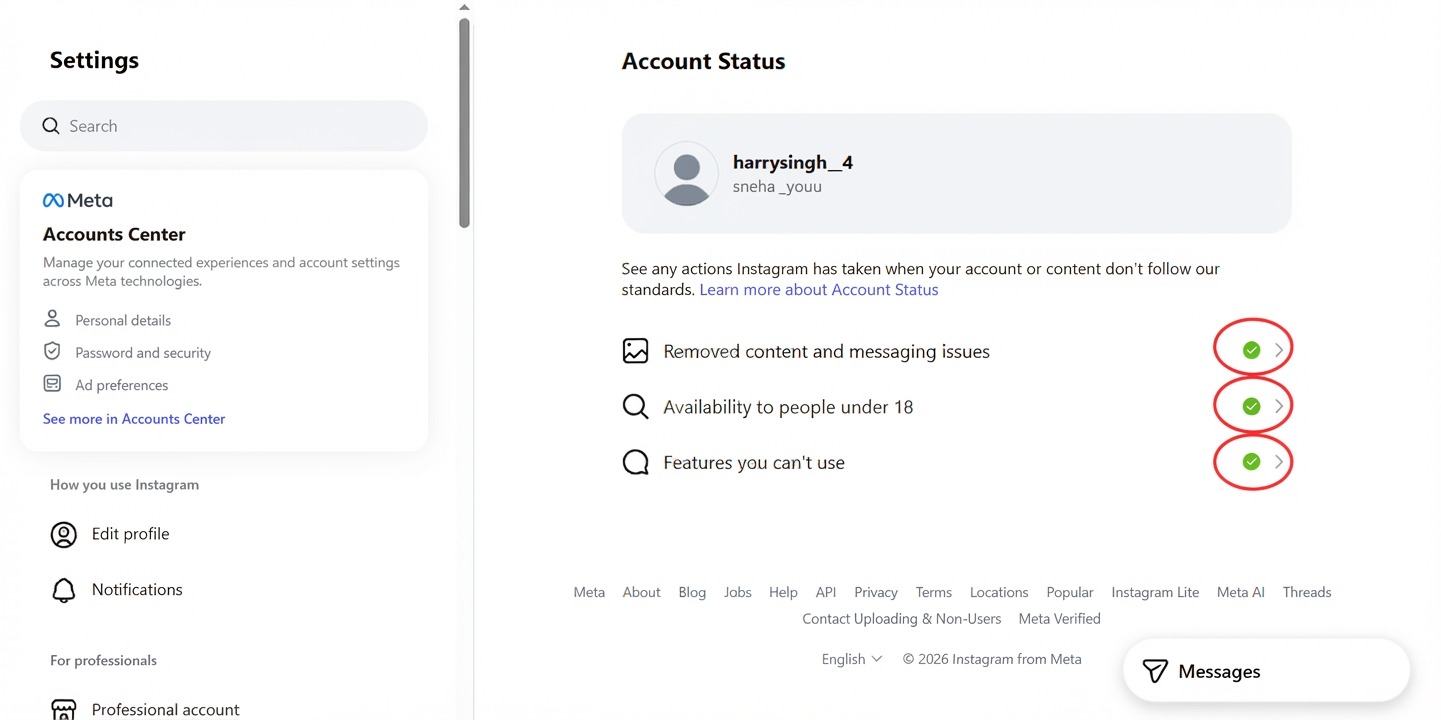
Instagram Settings, Account Status page. Green checkmarks mean no active restrictions.
Instagram actually built a tool for exactly this. Go to Settings, then Account Status.
It shows any action Instagram has taken on your account, like removed content or limited features. That’s the clearest way to confirm a shadowban instead of guessing.
Verified accounts also tend to bounce back faster from these dips. If you haven’t looked into it yet, our guide on how to get verified on Instagram walks through the process.
Why Did My Reach Suddenly Drop?
There are a few things that can cause this, but spammy or banned hashtags are one of the most common ones.
Getting reported by other users can trigger a review too. Sometimes brushing up against community guidelines, even by accident, is enough.
And sometimes it’s not one big mistake at all. It can be a pattern of small things Instagram picks up on across several posts.
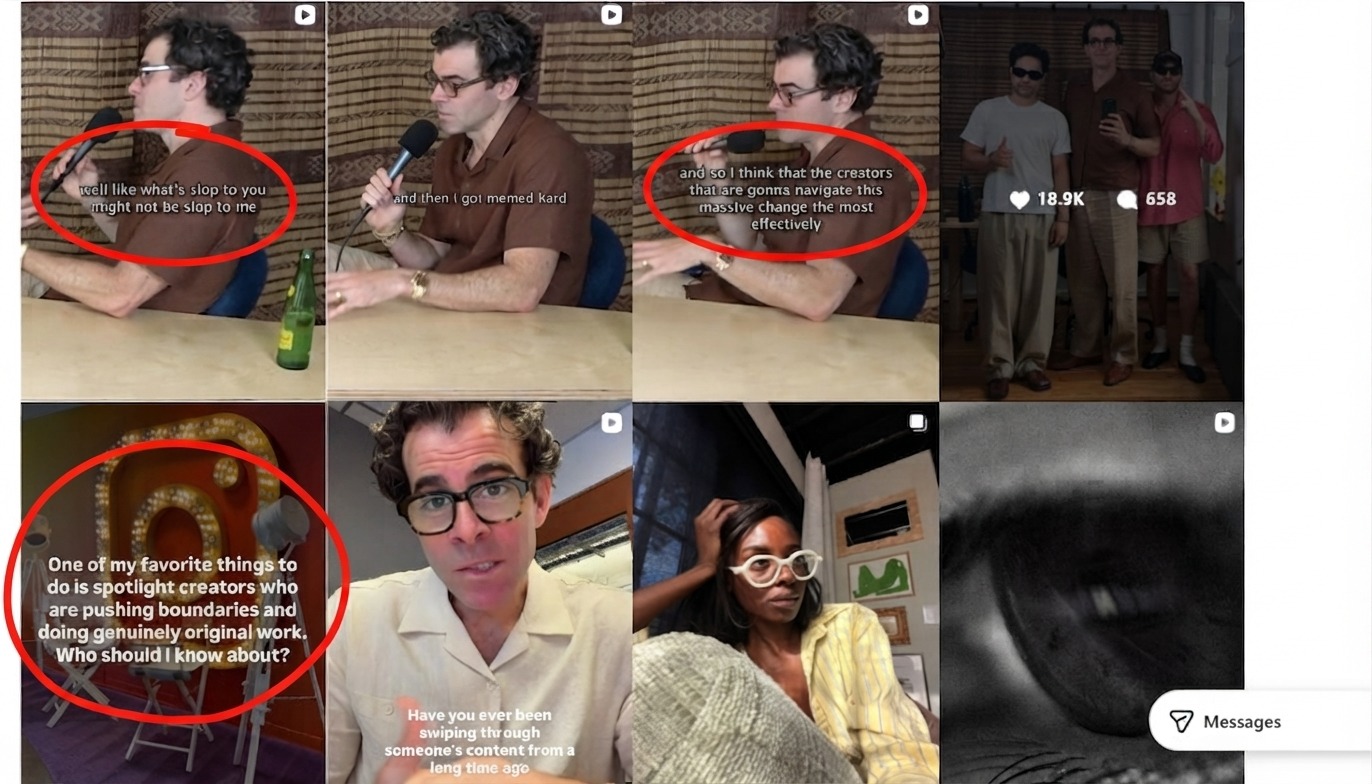
Adam Mosseri regularly talks about how reach and recommendations actually work.
Adam Mosseri, the Head of Instagram, talks about this openly on his own account. He says reach issues usually come down to content quality, not some secret punishment list. Follow @mosseri if you want it straight from the source.
How Long Does a Shadowban Last?
Most cases clear up within a few days to a couple of weeks, depending on what caused the issue in the first place.
A flagged hashtag usually gets resolved pretty quickly, while a pattern of reported content can take much longer to clear up.
Pro-tip: stop using the same hashtags while you wait it out. Repeating the flagged ones can actually reset the clock instead of speeding things up.
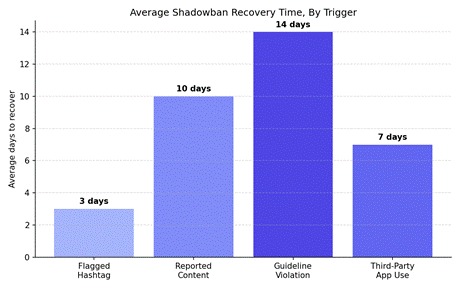
Average recovery time by trigger type, based on patterns we’ve tracked across creators.
How Do I Fix a Shadowban on Instagram?
First thing, stop using any hashtag you even suspect got flagged. Swap in a smaller, more specific set instead of broad ones.
Take a short break from posting too, around 24 to 48 hours works well. That gives Instagram’s systems time to reset.
If a recent post might have triggered a report, delete it. Not sure which one it was? Check your Account Status page first.
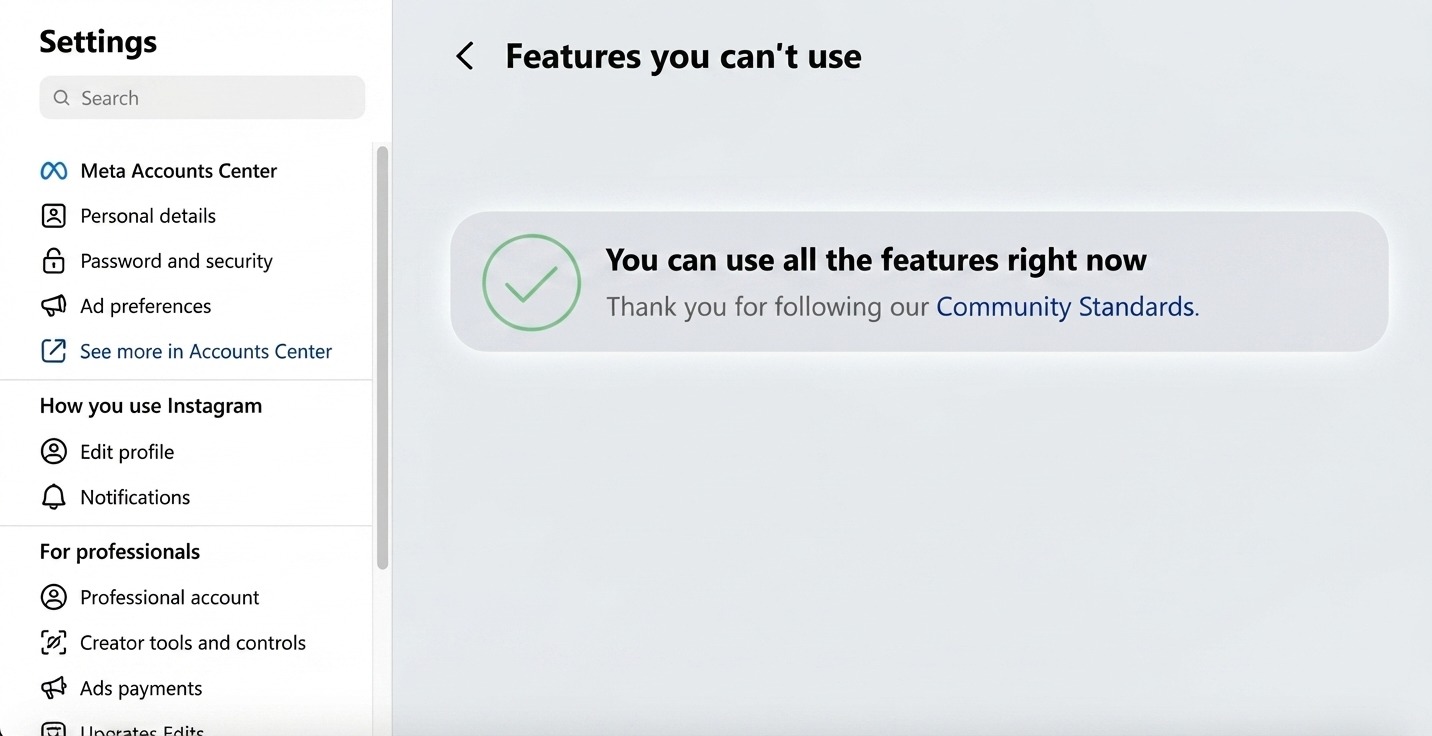
Account Status, Features You Can’t Use. A green banner here means your account is fully clear.
Once you see a clean green banner like this one, you’re in the clear. Every feature is available again, and nothing’s restricted.
Pro-tip: screenshot your Account Status page once a month. It gives you a baseline, so you’ll notice a change a lot faster next time.
How Do I Stop Getting Shadowbanned Again?
Rotate your hashtags instead of reusing the same ten every single time. Stick to ones that actually match what you’re posting.
Also, don’t post the exact same caption or hashtag set across multiple accounts. Instagram tracks patterns like that closely.
Steady, real growth also helps you dodge flags in the first place. Our guide on how to increase Instagram followers covers what actually works in 2026.
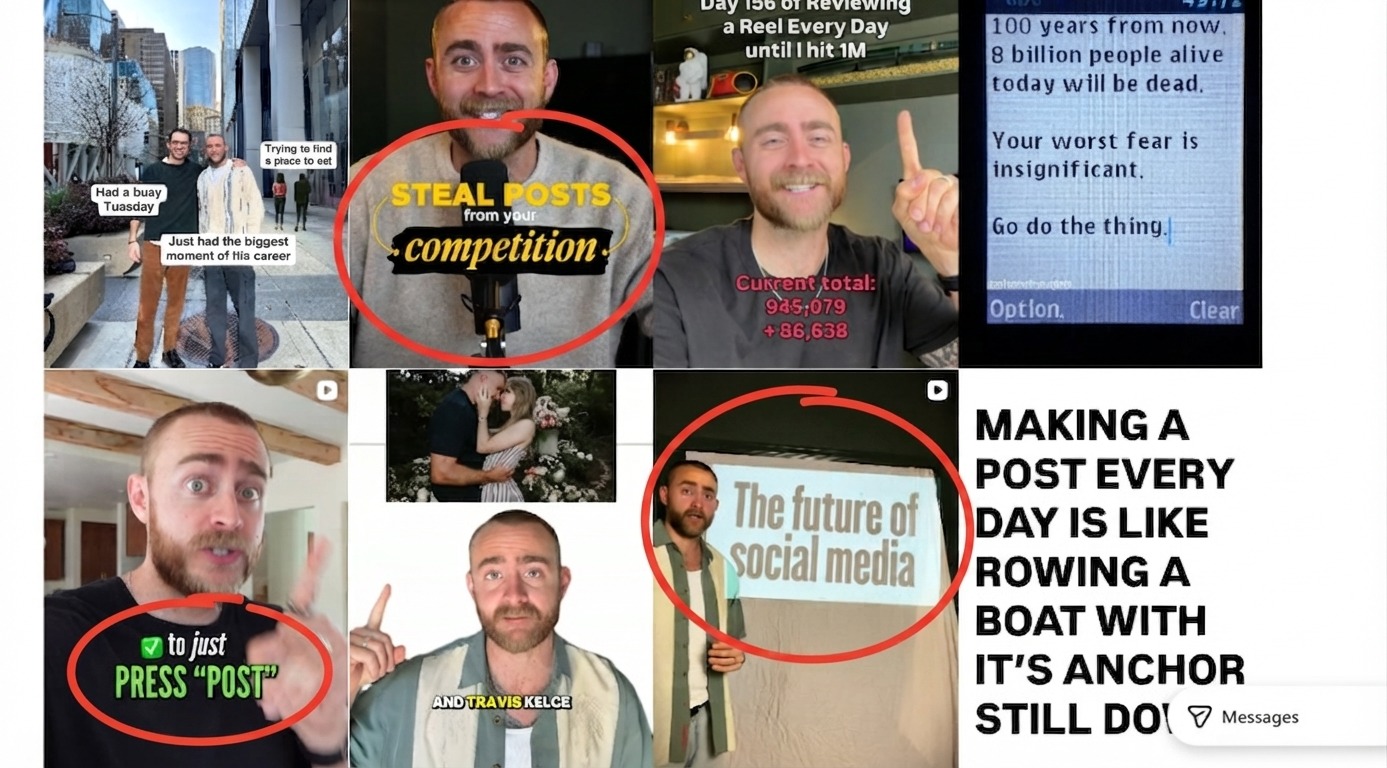
Brock Johnson breaks down common algorithm mistakes creators make without realizing it.
Brock Johnson, an Instagram growth creator, talks about this often. His main point is that consistency and genuine engagement beat any hashtag trick long term. Check out his page, @brockjohnson, for more breakdowns like this.
Pro-tip: engage with real accounts in your niche every day. Real comments and replies show Instagram that you’re actually using your account, not just spamming.
Is This a Shadowban or Just a Normal Reach Dip?
Not every slow week is a shadowban. Reach naturally goes up and down based on what you post and when.
A normal drop usually affects one or two posts. A shadowban can affect several posts in a row.
Check your last five posts side by side. If they all dropped together, on the same day, that points more toward a shadowban than a slow content week.
Weekends and holidays can also lower your reach because fewer people are online at the usual times. Check this first before assuming something is wrong.
Do Reels Get Hit Differently Than Photos?
Yes, and the difference is worth knowing. Reels rely heavily on the Explore and Reels tabs for reach, so a shadowban tends to hit them harder.
Photos and carousels are mostly seen by your followers first. So, if you get a shadowban, the drop may not look big at first.
If your Reels views crash but photo reach stays roughly normal, that’s a strong sign the Reels tab specifically flagged something.
This is also why some creators only notice a shadowban after posting a Reel, even though the underlying issue started days earlier with a different post.
Can Buying Followers Cause a Shadowban?
Fake or low-quality followers can cause problems. If your follower count suddenly jumps, Instagram may notice that too.
This is different from buying an already-established account with real, existing followers. That’s simply taking over a page that already built its trust score the right way.
The risk comes from fake bot followers stacked on top of a normal account. Switching to an account that already has genuine history works differently and carries far less risk.
If you’re weighing whether your current account is even worth holding onto, our guide on how much your Instagram account is worth can help you figure that out.
How Do I Rebuild Trust With the Algorithm After a Shadowban?
Once your Account Status is clear, start posting slowly instead of five times in one day. Posting a lot after being quiet can also look suspicious.
Post at your normal pace for about a week.For now, stick with the type of content that usually works for you. For now, keep things simple and avoid big changes.
For now, keep things the same and check your reach from time to time. If it starts going up again, that’s a good sign.
Once you’re back to normal, it’s a good time to actually push growth again. Our guide on how to grow 20k followers on Instagram breaks down the exact steps.
Where Can I Read Instagram’s Official Community Guidelines?
Want it straight from the source? Check Instagram’s Community Guidelines. It spells out exactly what can trigger a restriction on your account.
What If My Account Doesn’t Recover?
Sometimes a shadowban can last longer than expected. If nothing changes for weeks, your account may need a fresh start.
If your account got restricted or suspended entirely at some point, our guide on why Instagram suspended my account and how to fix it covers exactly what to do next.
Should I Just Start a Fresh Account Instead?
For some creators, waiting weeks for a shadowban to end is not worth it. This is even more important when a launch or campaign is coming up.
If that sounds like you, SwapSocials is a great place if you’re looking to buy Instagram accounts and start fresh with a clean trust score.
Pick a niche that already fits your content, and make sure the account’s history looks clean before you commit to it.
Frequently Asked Questions
Does Instagram ever notify you about a shadowban?
Nope, no direct notification for this one. You have to check your Account Status page or just watch your reach numbers yourself.
Can a new account get shadowbanned too?
Yes. New accounts can get flagged more easily.Posting a lot in a short time or adding too many hashtags can get your account checked.
Can switching to a business account cause a shadowban?
No. Just switching to a business account won’t cause a shadowban. It usually depends on what you post and how often you post.
Does using third-party growth apps cause a shadowban?
Yes, this is one of the biggest causes we see. Apps that auto-like or auto-follow on your behalf get accounts flagged fast.
Can a shadowban happen on Instagram Stories too?
Yes, though it’s less common. Stories mainly reach people who already follow you, so a shadowban usually shows up more clearly in Feed and Explore first.
Should I switch to a completely different niche after a shadowban?
No, there’s no need to do that. A shadowban is usually linked to your content or how you use the platform. Changing your niche alone won’t fix it.
What Should I Do in the First 24 Hours After Noticing a Drop?
Don’t panic and start deleting posts at random. That can actually hurt you more than the shadowban itself.
Check your Account Status first, before touching anything. It tells you exactly what’s flagged instead of leaving you guessing.
If nothing shows up there, give it a day before assuming the worst. Sometimes it’s a short-term dip that clears on its own within 24 hours.
Should I Message Instagram Support About a Shadowban?
You can, but don’t expect a fast reply. Instagram rarely responds to individual shadowban reports directly.
Your best bet is still the Account Status page. It’s automated, so it updates in real time instead of waiting on a support queue.
Support is more helpful for account suspensions or removed content. It may not help much if your reach drops without any warning.
Does a Shadowban Affect Your Follower Count?
No, a shadowban doesn’t remove followers on its own. Your count stays exactly where it was.
What changes is how many new people find you. Existing followers still see your posts as usual, so your numbers won’t crash overnight from this alone.
If you see your follower count dropping quickly, it’s usually something else. Some accounts may be inactive, or people may simply unfollow after you change your content.
Does Deleting And Reinstalling the App Help?
Not really. Reinstalling Instagram won’t reset anything on their side.
Your account data lives on Instagram’s servers. Clearing the app just wipes your local cache, nothing more.
Skip this step and focus your energy on the Account Status page instead. That’s where the actual answer lives.
Final Thoughts
A shadowban feels frustrating at the moment, but it’s rarely permanent. Check your Account Status, cut out whatever might have triggered it, and give it a few days.
Keep checking your reach from time to time. If you spot a drop early, it’s easier to fix before it becomes a bigger problem.
Most creators only deal with this once or twice in their entire time on the platform. Once you know what to check and where, it stops feeling like a mystery and starts feeling like a quick fix.